Counter and Workshop Pages (Kassa & Verkstad)
BikeOffice puts your everyday information on two main working pages: Counter (Kassa) for the checkout, and Workshop (Verkstad) for the mechanics. Both pages pull together your cards and shortcuts so the right answer is always a click away.
Counter (Kassa)
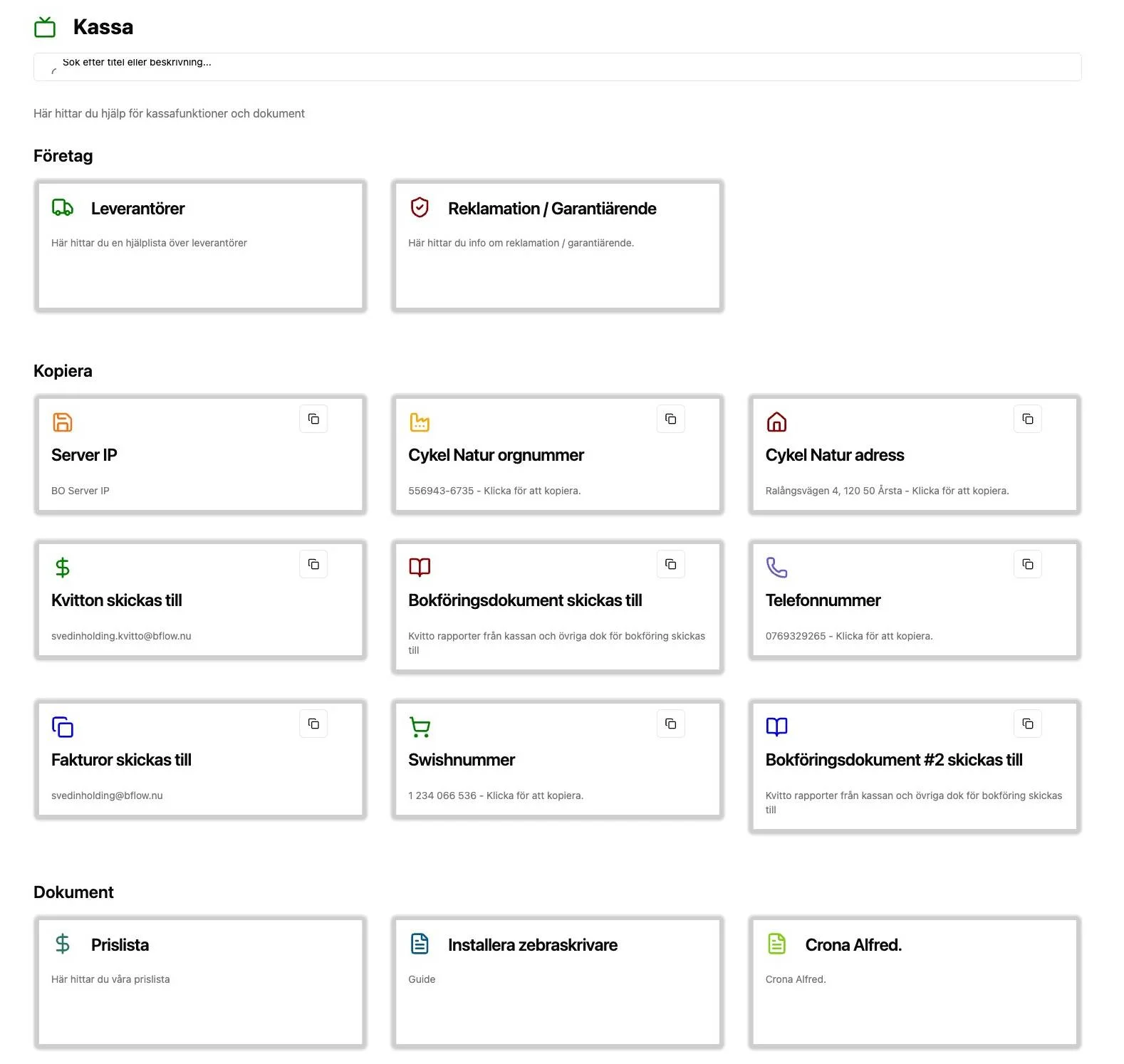
The Counter page is designed for the checkout. It gathers the help, documents and copy snippets your front-of-house staff reach for while serving customers — for example:
- Company shortcuts such as Suppliers (Leverantörer) and Warranty / Guarantee case (Reklamation / Garantiärende).
- Copy cards for details you paste often: server IP, org number, shop address, the email receipts are sent to, and phone numbers.
How to use it
- Select Kassa (Counter) in the top menu.
- Browse the cards, which are grouped under headings (Company, Copy, and so on).
- To reuse a value, select the copy icon on a copy card — the text is copied to your clipboard, ready to paste.
- To open a document or link, select the card.
- Use the search box at the top to jump straight to a card by name.
Workshop (Verkstad)
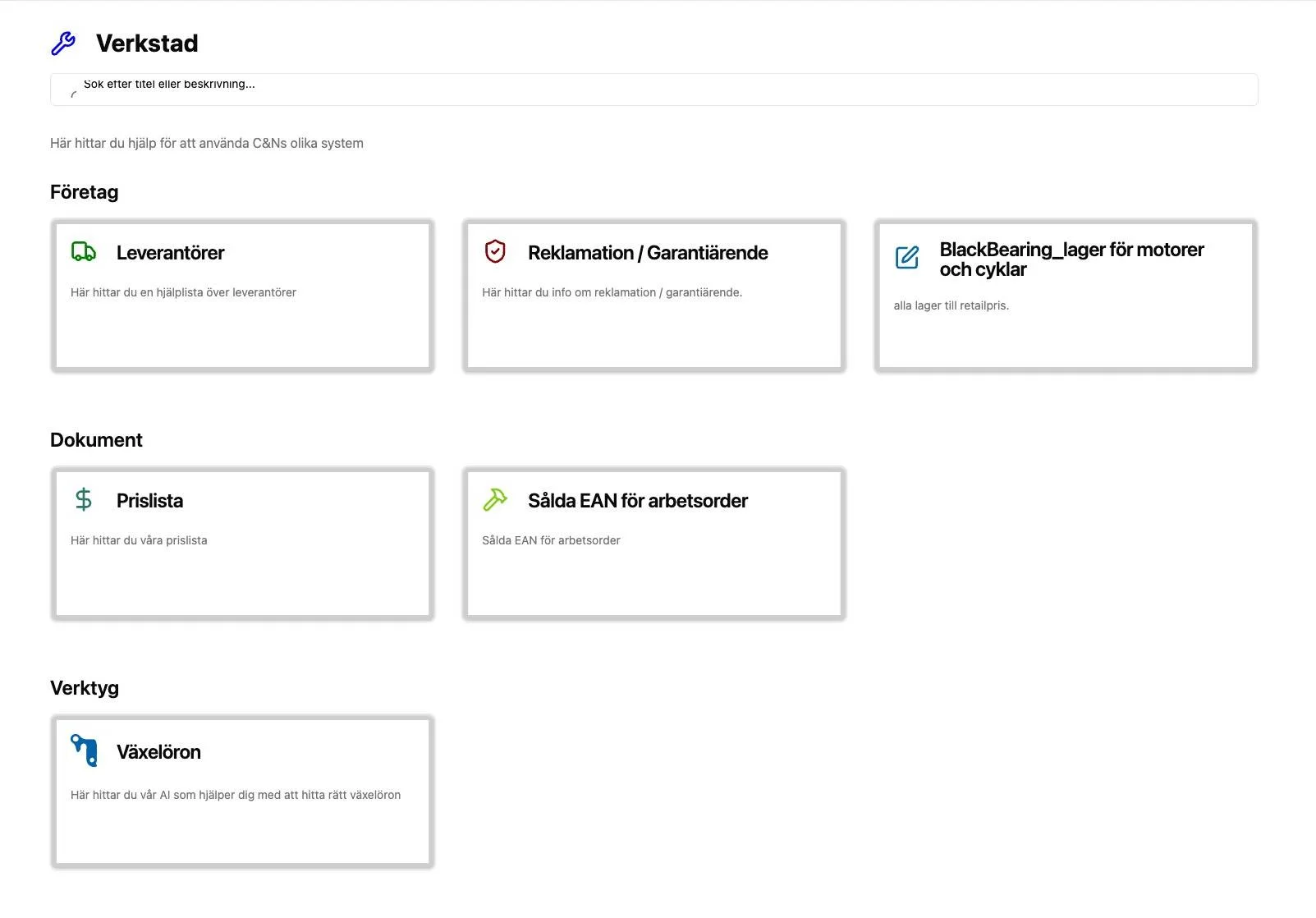
The Workshop page is designed for mechanics. It gathers the systems, guides and reference documents used during repairs — for example supplier directories, warranty links, the price list, bearing charts, and "sold EAN for work orders".
How to use it
- Select Verkstad (Workshop) in the top menu.
- Browse cards grouped under headings such as Company (Företag), Documents (Dokument) and Tools (Verktyg).
- Select a card to open its document or link.
- Use the search box to find a card quickly.
Why it matters
Splitting information into Counter and Workshop means each person sees what's relevant to their job, without clutter. Because both pages are built from Cards, you control exactly what appears — add a card in Settings and it shows up here automatically.
Which page does a card appear on?
When you create a card you set its Category to either Kassa or Verkstad. That choice decides which of these two pages shows the card. See Cards for how to set it.
Related
- Cards — create and organise the cards shown here.
- Suppliers and Warranty and Returns — two of the most-used shortcuts on these pages.